Notifications
You can set up notifications to receive an email when an action is performed on a given content item. To receive notifications, you need to add your email address to your user profile.
To set up notifications for a content item:
- Right-click the page or select the page and click Actions in the top-right corner of the screen.
- Choose Notifications.
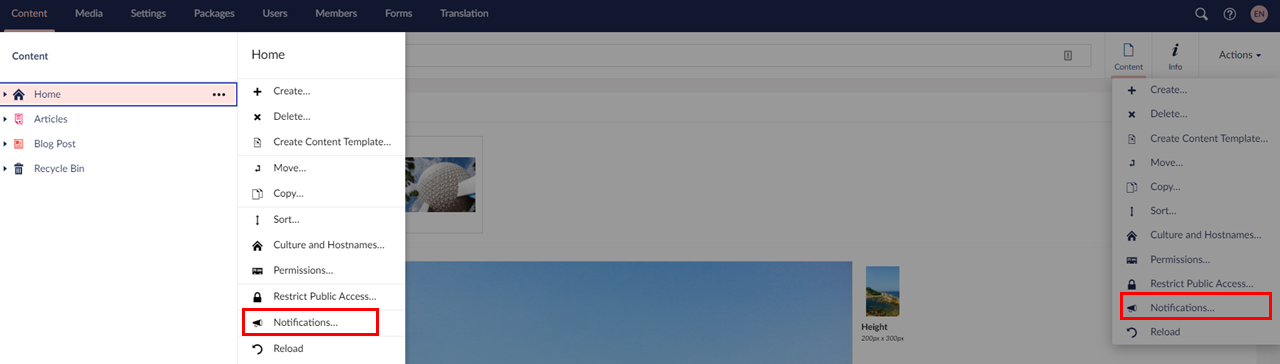 Notifications Menu
 - Check the actions in which you are interested and you will receive notifications each time the given action occurs.
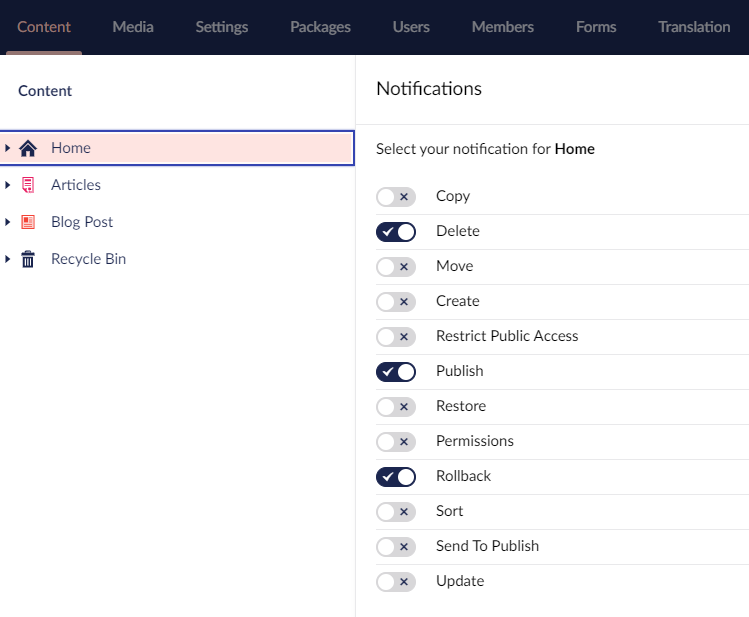 notifications.jpg
 - Click Save.
Important: Note:
The notification settings apply to the chosen content item as well as any child items that appear below the item in the content tree.
Important: Note:
If the notifications option does not appear, the SMTP settings are probably incorrect. In this case please contact the administrator of your website.